ESP-Mosaico · A desk pet for Codex
- Target hardware
- ESP-Iris Mosaico with ESP32-S31.
- What it shows
- Codex quota, time until reset, running tasks and unread completions.
- How to get it
- The public GitHub repository contains firmware, the Mac companion and setup instructions.
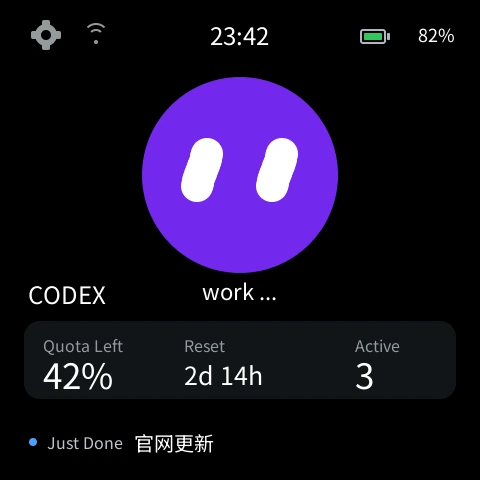
Keep track of Codex while your Mac is busy with something else. The animated desk pet shows remaining quota, reset time, active tasks, and recent or unread completions on an ESP-Iris Mosaico.
The project brings together device firmware, a Mac companion and a relay for status updates. Its interface is drawn on the device. The preview on this page comes from the native simulator using sample data.
Check tasks and quota at a glance
Open the task list from the quota card or recent activity. Running items have a spinner, while unread completions have a green dot. New completions can play a sound or vibrate, with controls for both.
Dictate through your Mac
Tap the desk pet’s face to open the voice page. The device records audio and sends it to the Mac on the local network. Qwen3-ASR runs on the Mac and inserts the text into the active Codex input field. The device provides delete and send controls, and voice audio stays out of the status relay.
Follow one Mac or several
Pair additional Macs with a one-time code. Follow the active Mac, select a specific Mac, or see merged tasks with duplicates removed. Saved Wi-Fi networks, appearance, language and alert settings are managed on the device.
Build for ESP-Iris Mosaico
The target is ESP-Iris Mosaico with ESP32-S31. Setup uses the ESP-Mosaico Vibe workspace, the pinned toolchain, your own HTTPS status relay and a Mac companion with a local model. Use the upstream System Update workflow and retain the device recovery and configuration partitions. Visit GitHub for firmware source, setup and compatibility details.