Guiji · Markdown, documents and project keys on Mac
- Compatible Mac
- Apple silicon with macOS 14 or later. Source builds require Swift 6 in Xcode.
- Document conversion
- PDF, Word, Excel, PowerPoint and images. Up to 50 MB per file and 40 PDF pages.
- How to get it
- The public GitHub repository contains source and build instructions.
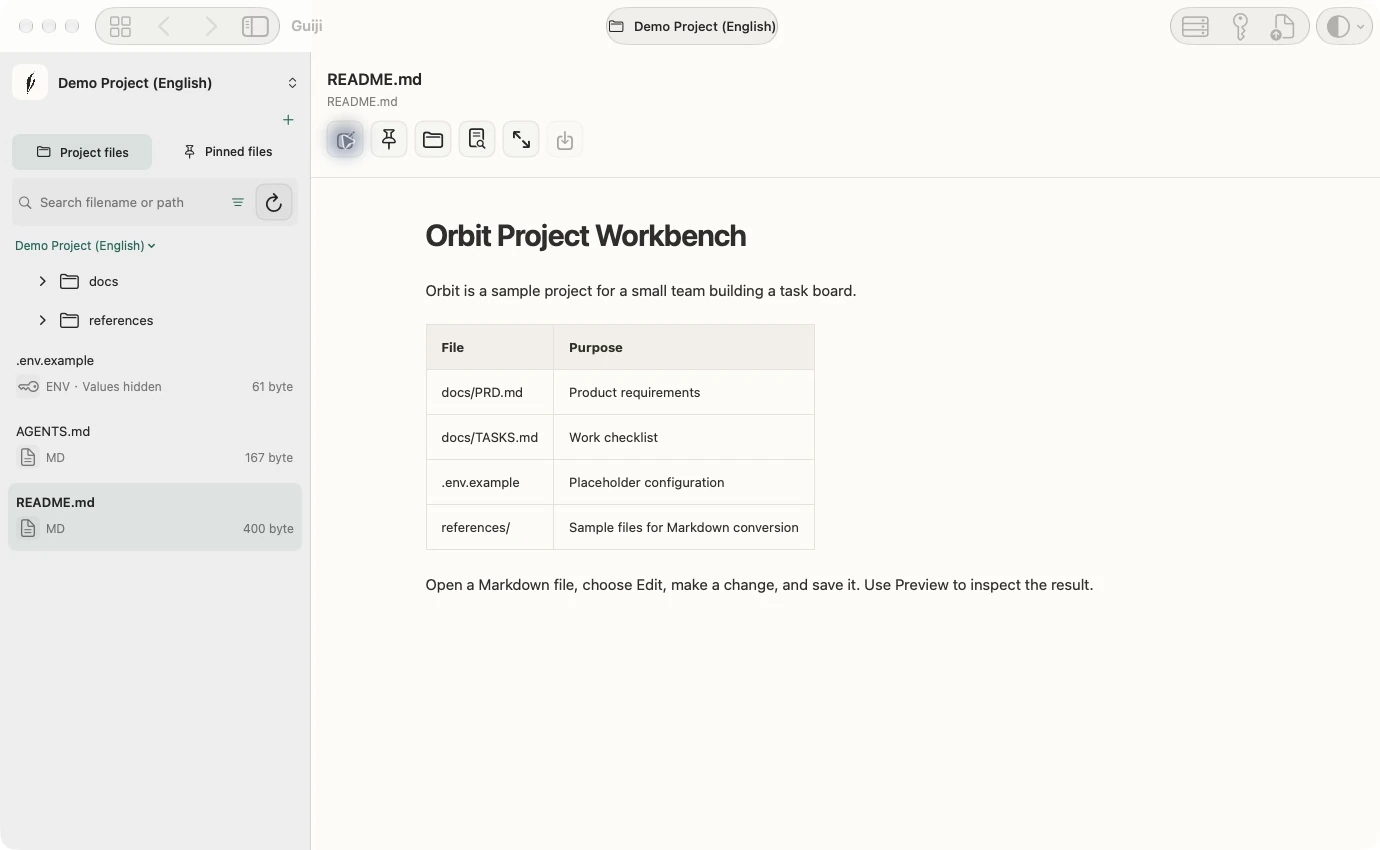
Guiji is a native workspace for developers who move between projects. Open a local project folder and keep its notes, reference documents, runtime settings and credential references together.
Start with the sample workspace or grant Guiji access to a folder you already use. The file tree gives you a familiar way to pick up a project where you left off.
Edit notes alongside project files
Browse and pin frequently used files, edit Markdown with a split preview, and read supported configuration and code files. Editing supports UTF-8 files up to 2 MB. Guiji checks for external changes before saving, and shows ENV files in a redacted, read-only view.
Convert reference material locally
Preview a PDF, Word, Excel, PowerPoint or image conversion before saving a new Markdown file. Text PDFs use extraction and scanned pages use on-device OCR. Conversion supports files up to 50 MB and PDFs up to 40 pages. Review complex layouts, tables and handwriting before relying on the output.
Check configuration before switching projects
Inspect supported root configuration files for environment sources and variable names. Export a project brief with file entry points, configuration sources and credential references when you need to orient Codex or Claude. You choose what to export and share.
Keep credentials in macOS Keychain
Guiji stores tokens and passwords in local, non-syncing Keychain entries. SSH records reference key paths. Link an entry to its project and set a rotation reminder where useful. Optional, revocable local authorization currently supports GitHub account lookup.
System requirements and access
The public project documents a source build for Apple silicon Macs running macOS 14 or later, with an Xcode version that supports Swift 6. Visit GitHub for the build guide and sample workflows.